Open beta Homework that runs itself — for English academies, study rooms and tutors

Just add the words.
Preview, homework and review
for every student go out on their own.

AI writes vocabulary, grammar, reading, listening and speaking questions, sends them to the student app on schedule, grades them, and picks each student's review for today. You just check.

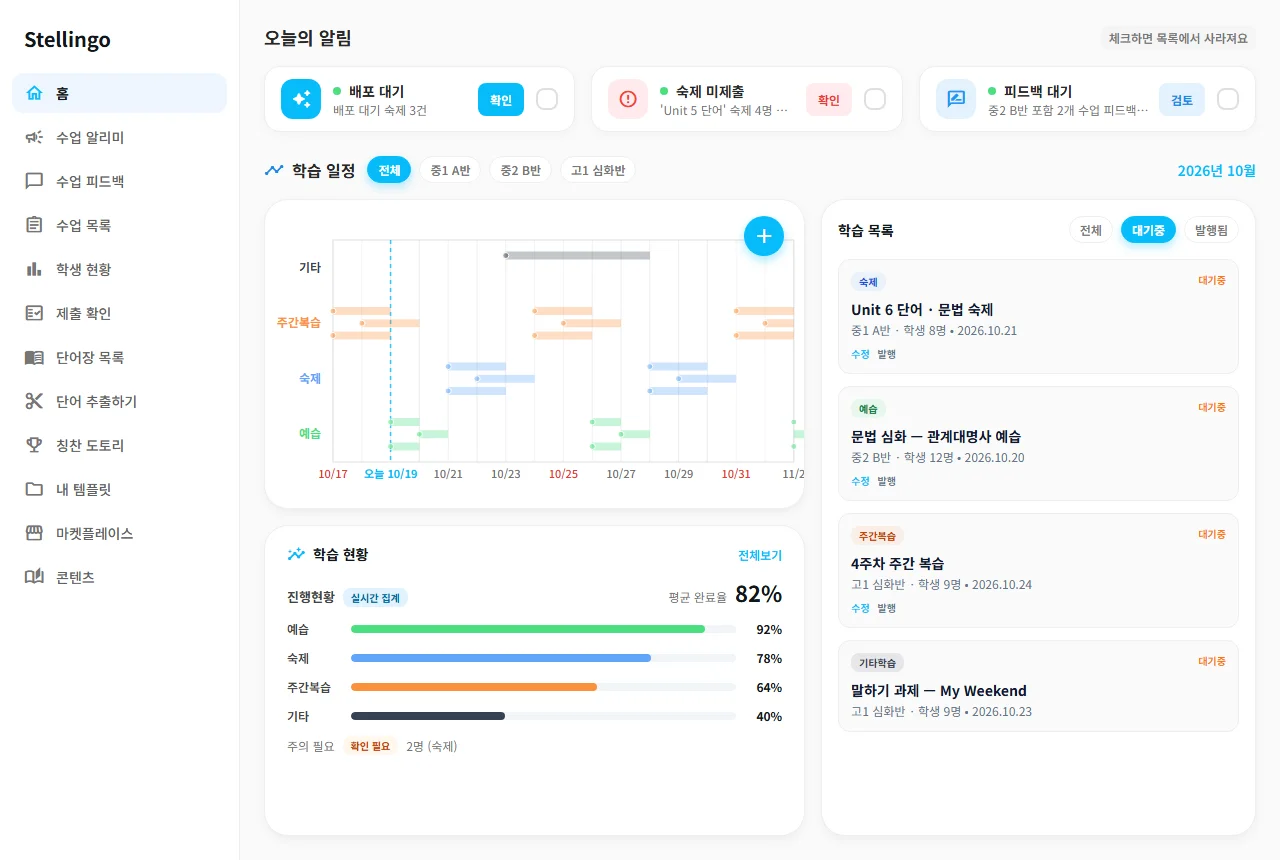
stellingo-app.web.app / teacher
Teacher web — home (today's notices, study schedule, study list)
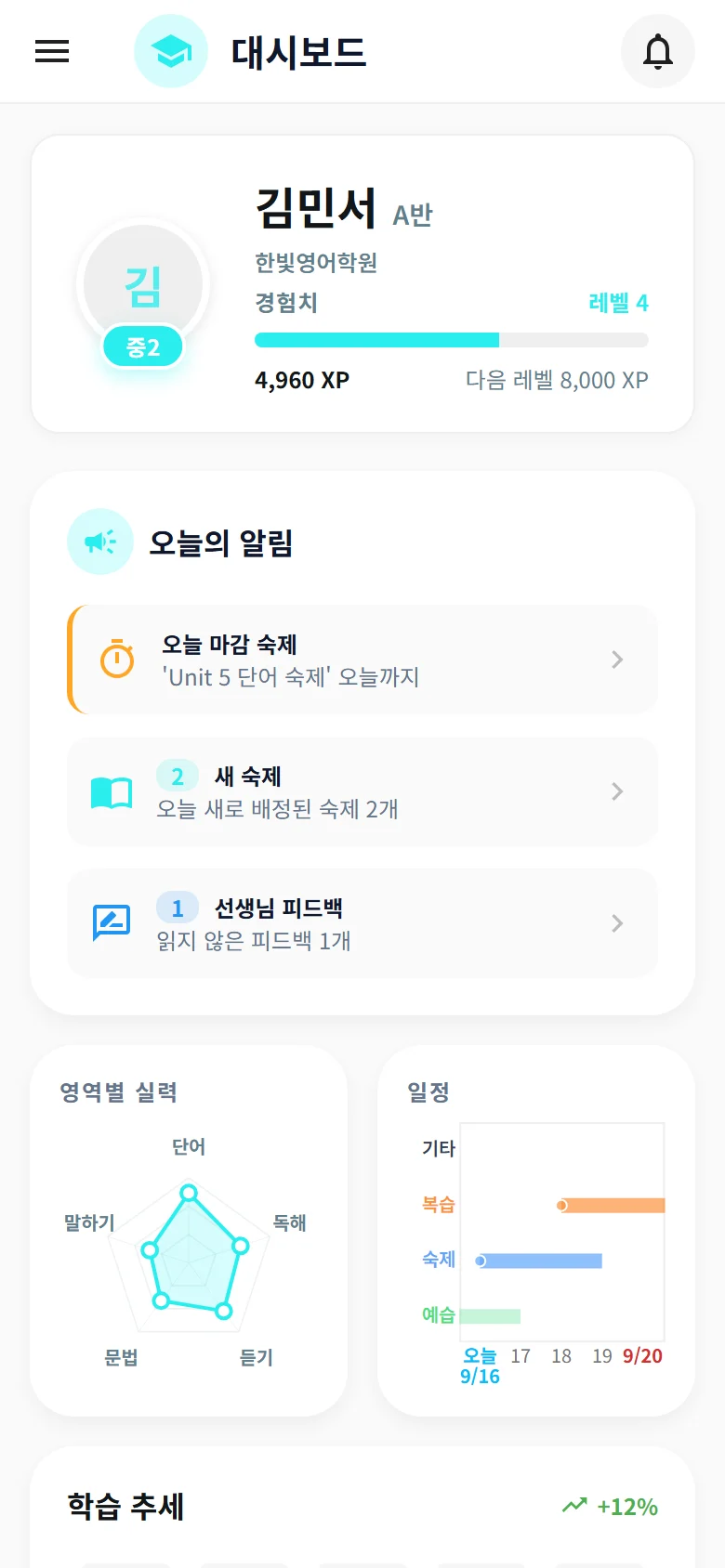
Student app home
Free during beta·Skill areas 5·Built with Gemini · Firebase · FSRS
Your week

Set it up on Monday. The week runs itself.

A workflow template builds preview → homework → weekly review on the right dates. Confirm it and it goes to the student app. Submissions are graded instantly, and the weekly review is filled with that week's mistakes.

All
Publish dateUntil dueOne workflow's path

This is the study schedule chart from the teacher home. One workflow per class builds preview → homework → weekly review every week — drag a dot if a date doesn't fit.

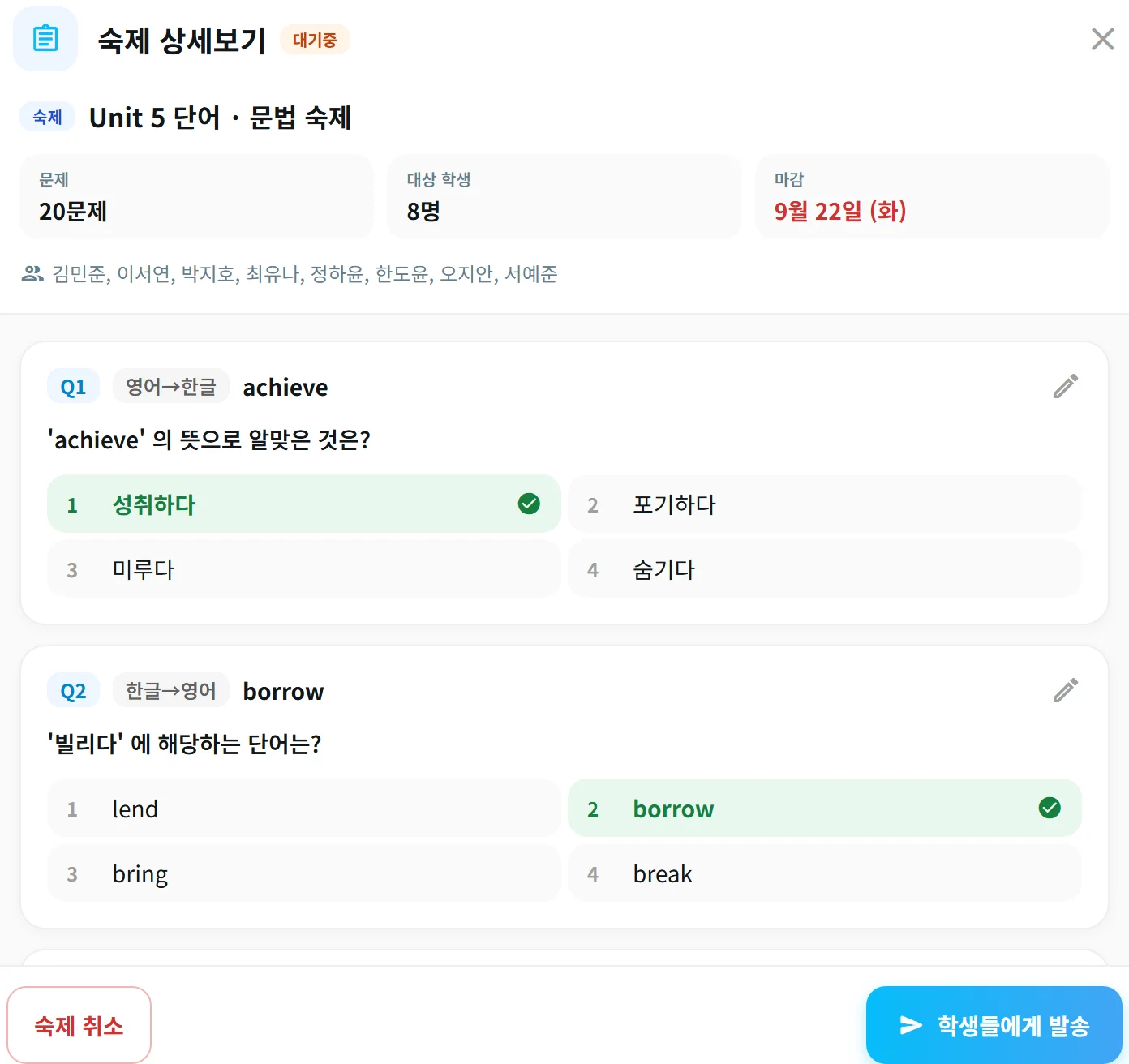
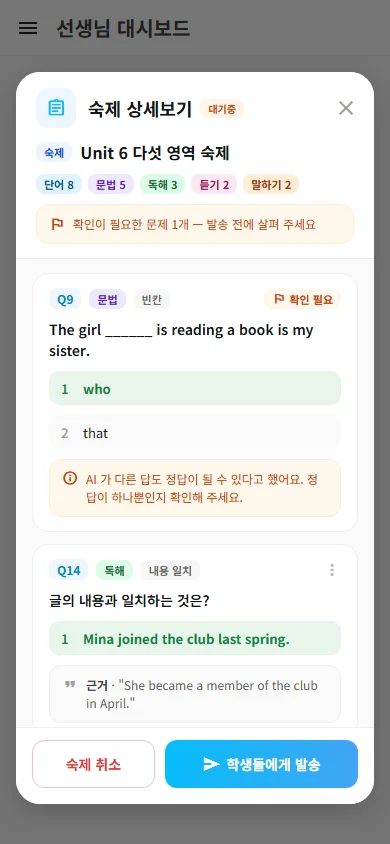
Homework detail — review generated questions, then send to students
  • 1
    Add a word list or passage and pick a templateType it, snap a textbook page, use a shared template or the content shelf
  • 2
    Review the generated preview, homework and weekly review, then confirmSuspicious questions are flagged — fix them before publishing
  • 3
    Publish to the student app — graded on submissionSeveral classes at once — each step is generated only once
Five skills

Not just vocabulary. Written — and checked.

AI writes vocabulary, grammar, reading, listening and speaking questions and tags their difficulty. Everything except speaking goes through automatic checks, and grammar questions are re-solved by AI to confirm the answer. Everything is pitched to the class's grade.

VocabularyGrammarReadingListeningSpeaking
  • ✓
    Automatic checksAnswers leaking into the question, duplicate options, evidence missing from the passage — caught before publishing
  • ↺
    Solve-it-back check (grammar)AI re-solves each grammar question to confirm the answer key
  • ≡
    Difficulty tags · question bankGood questions are reused, not regenerated
  • 🎙
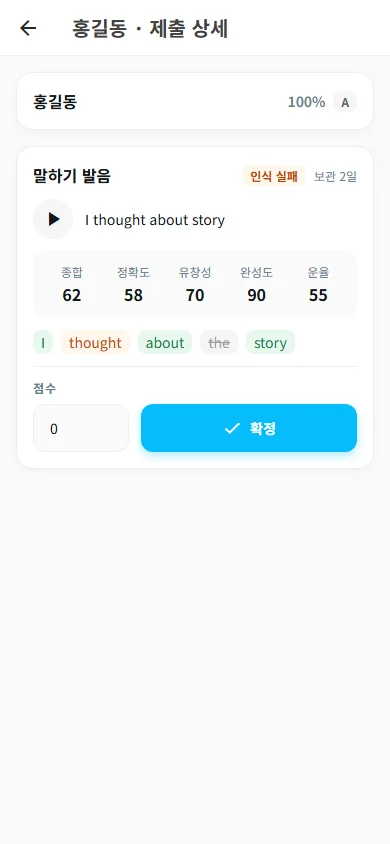
    Speaking becomes homework tooStudents record in the app → auto score → teacher confirms
Speaking grading
Homework detail — multi-skill questions with a review flag
Students

A different review for every student.
Every word learned becomes a star.

The server keeps a memory card (FSRS) for every student × word. Words about to be forgotten and weak grammar topics become a fresh «Today's review» every day, and words they get right pile up as stars in their Knowledge Galaxy. Three word games, rankings and praise acorns bring them back daily.

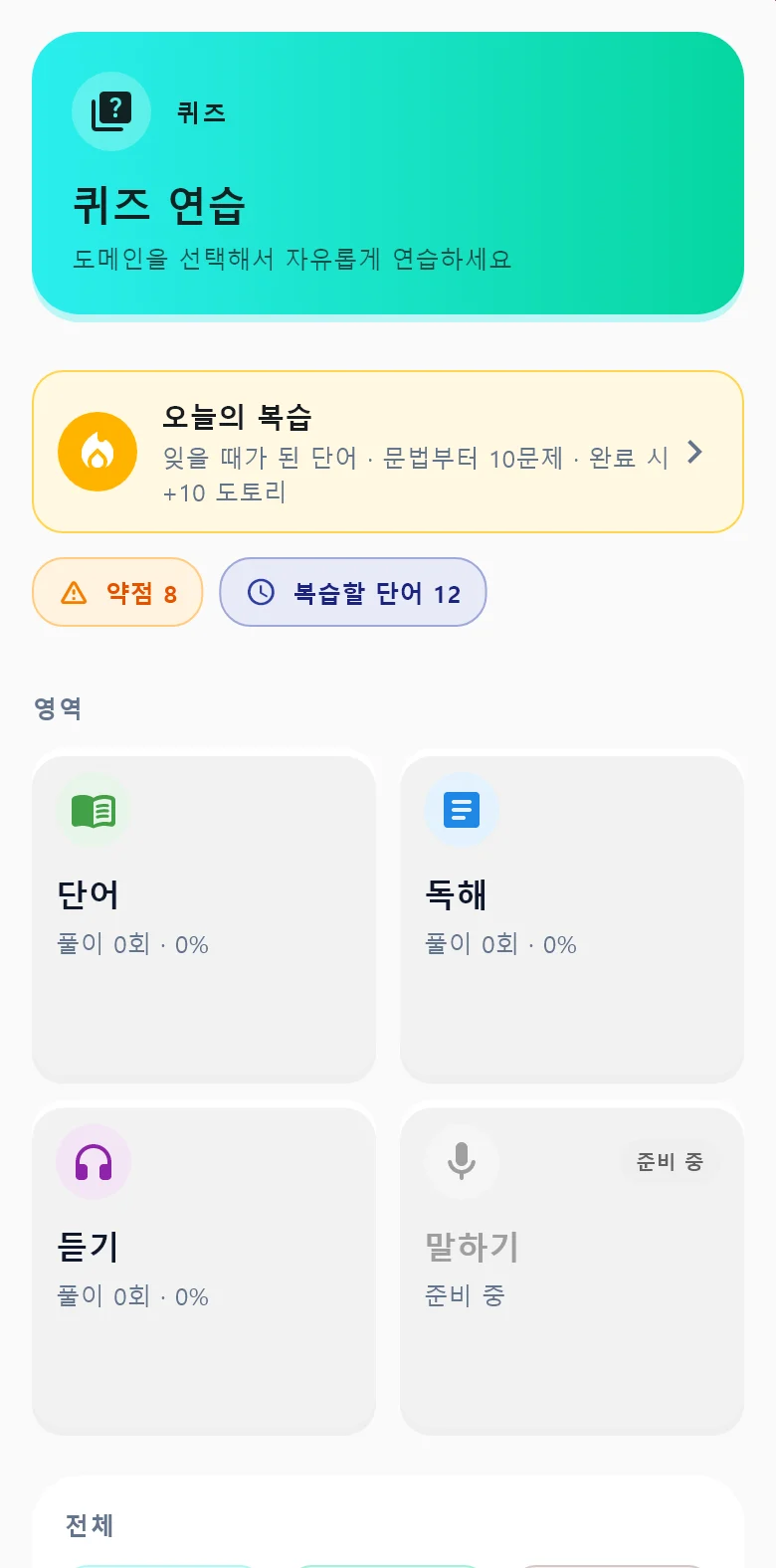
Quiz practice — Today's review card
Today's reviewQuestions picked for this student by the memory model
1,284words have become stars
Knowledge GalaxyA personal universe built from words they got right
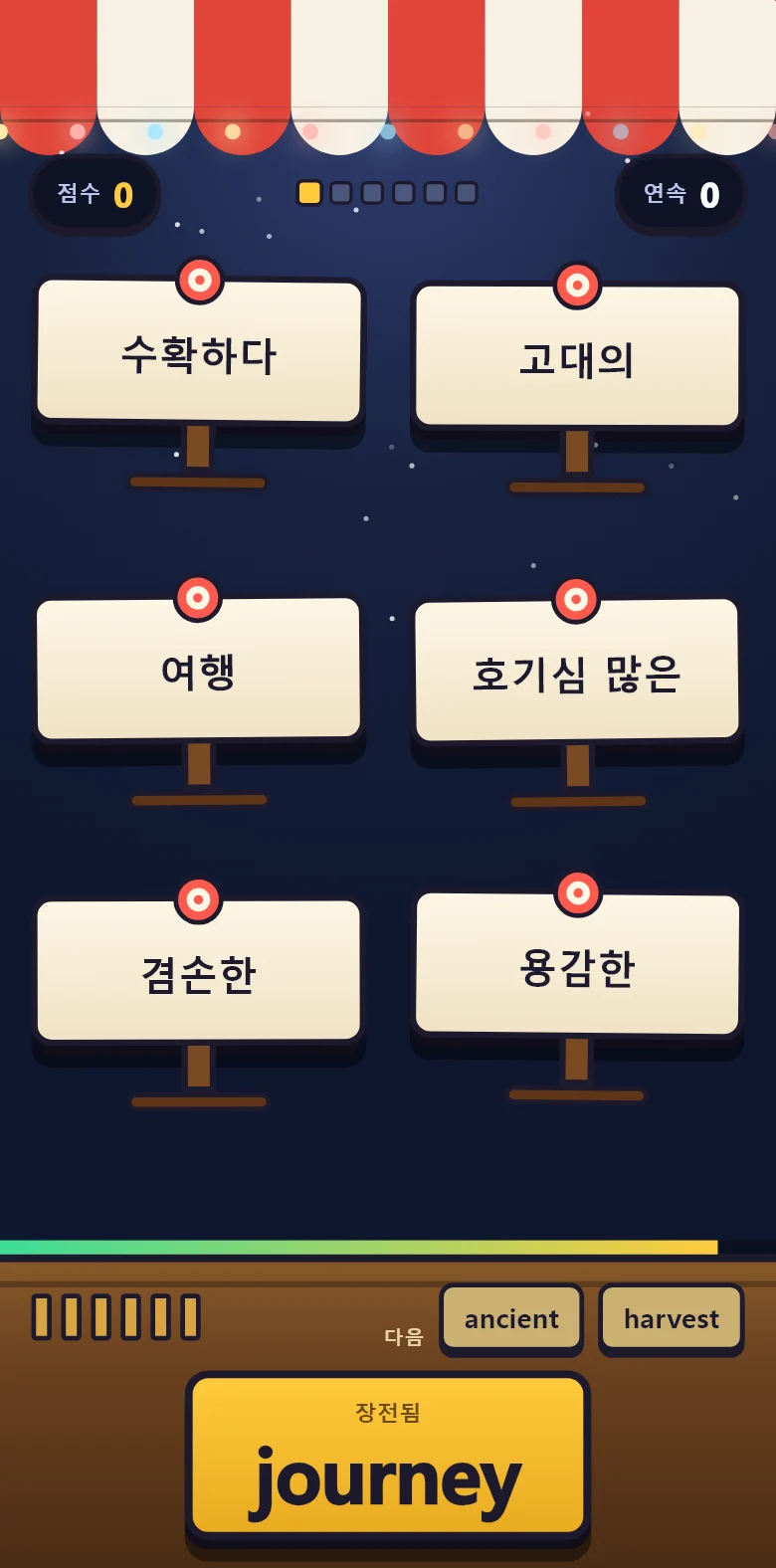
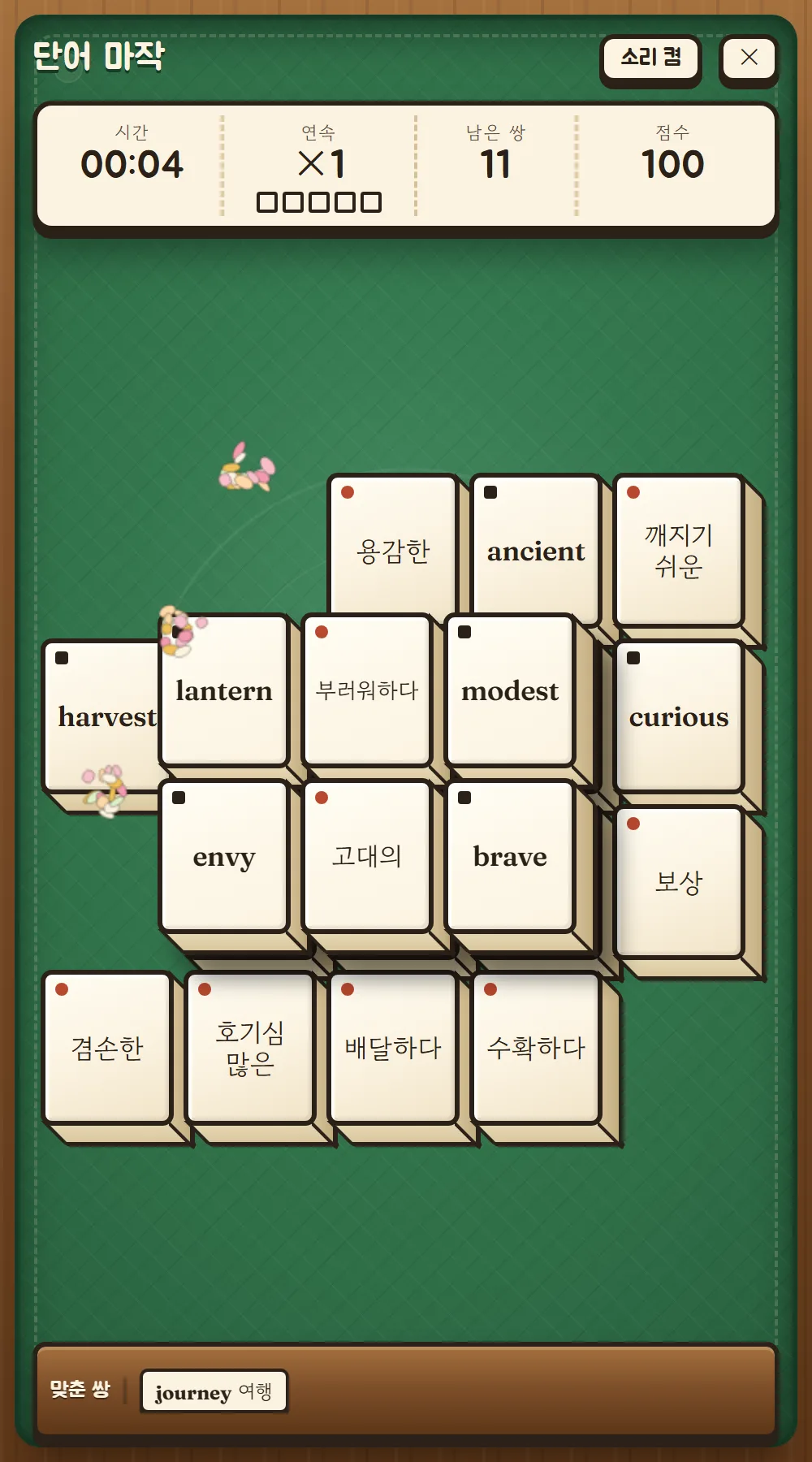
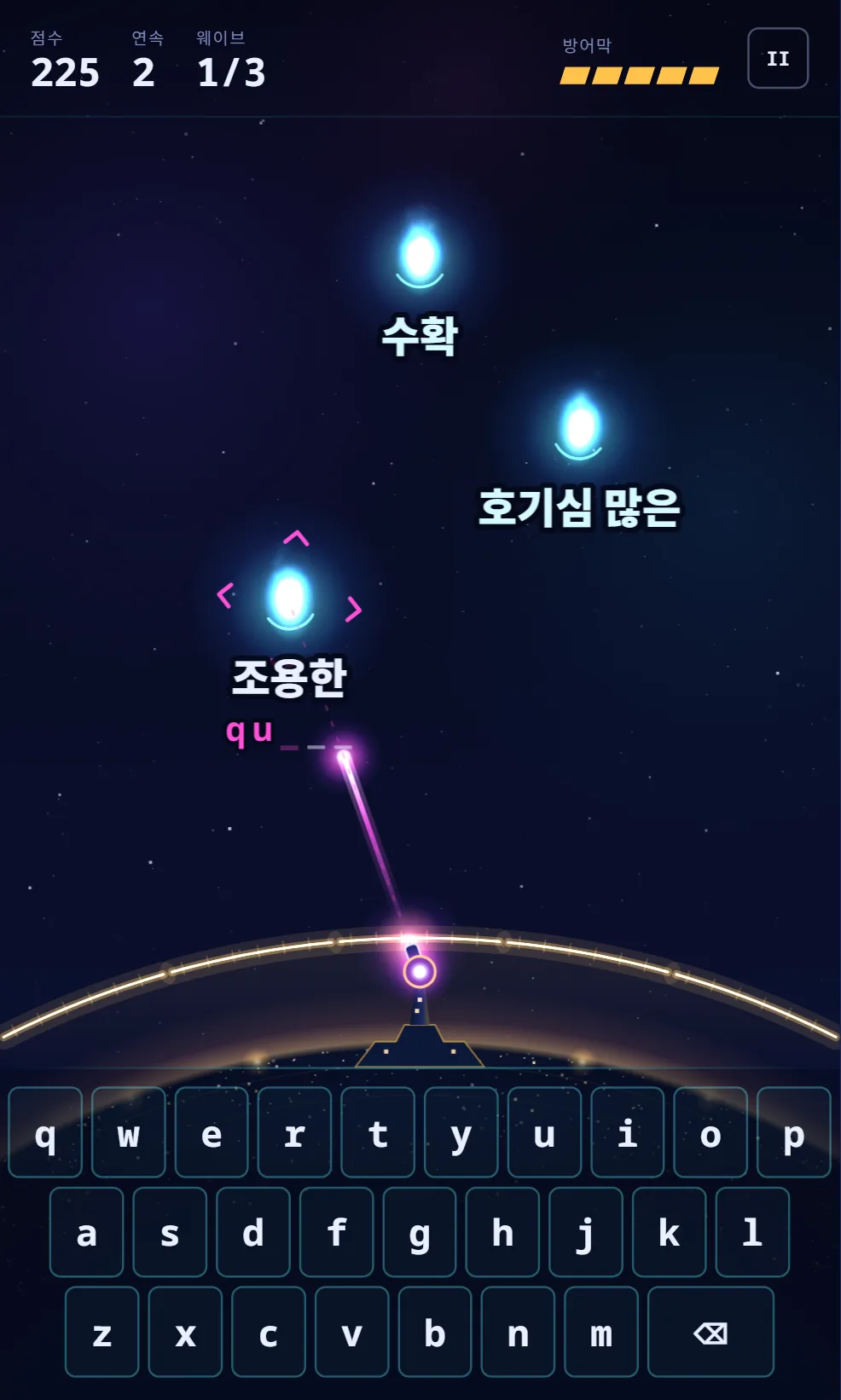
Word Shooter gameplay Word Mahjong gameplay Typing Defense gameplay
Game · Word ShooterShoot the sign that matches the loaded word
Operations

Homework and class operations in one place.

Student status, grading, class notices and praise — all right next to the homework you built. No separate messaging app and homework tool.

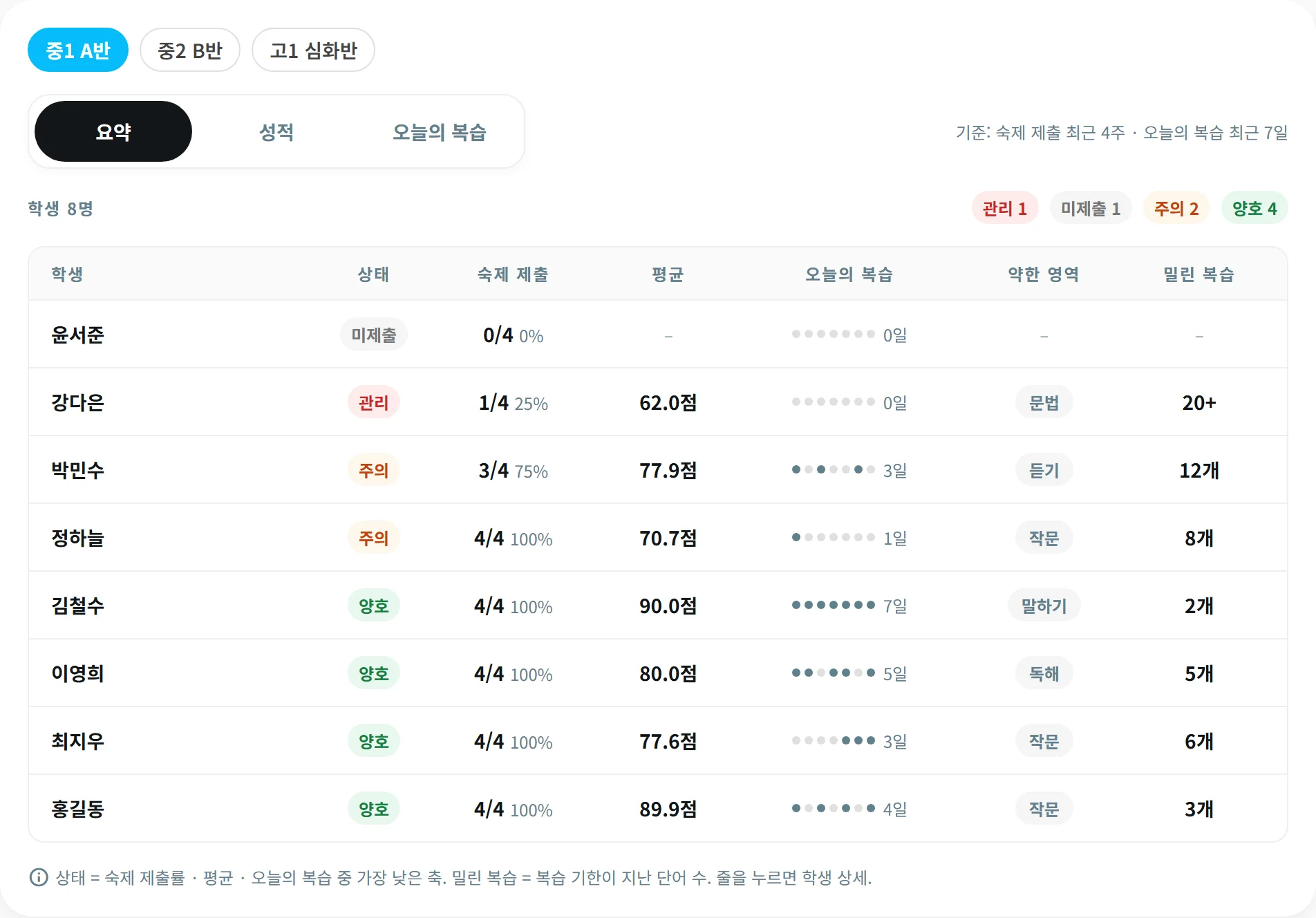
Student status

One line per student — status badge, homework submitted, average, 7 days of review, weakest skill, overdue reviews. Students who need attention rise to the top.

Act · Missing · Watch · GoodLast 4 weeks7-day review«Share mode» on the student page for parents
Student status — one line per student
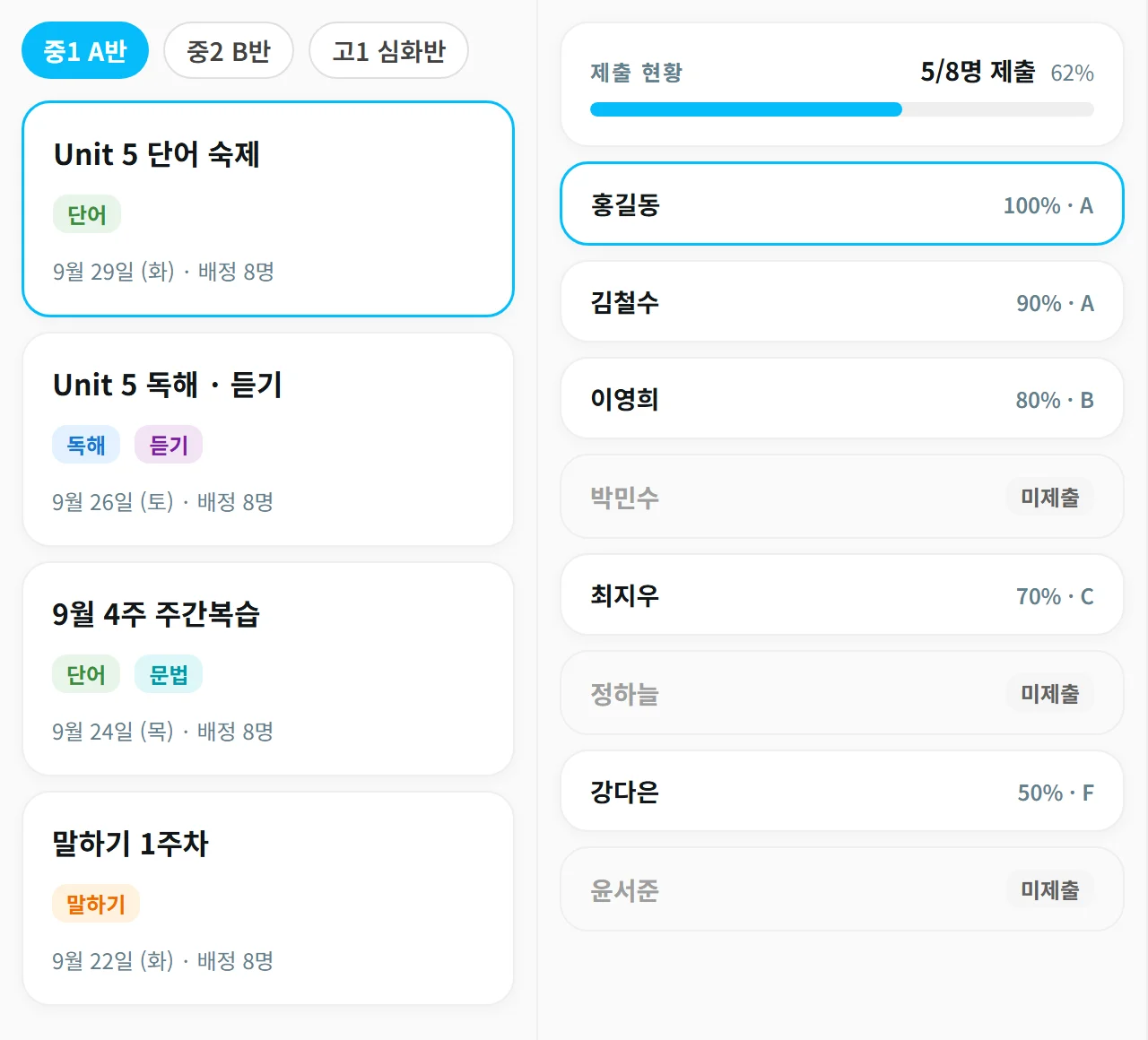
Submissions — status per assignment and score per student

Grading · submissions

Who submitted each assignment and how they scored. Open auto-graded results per student.

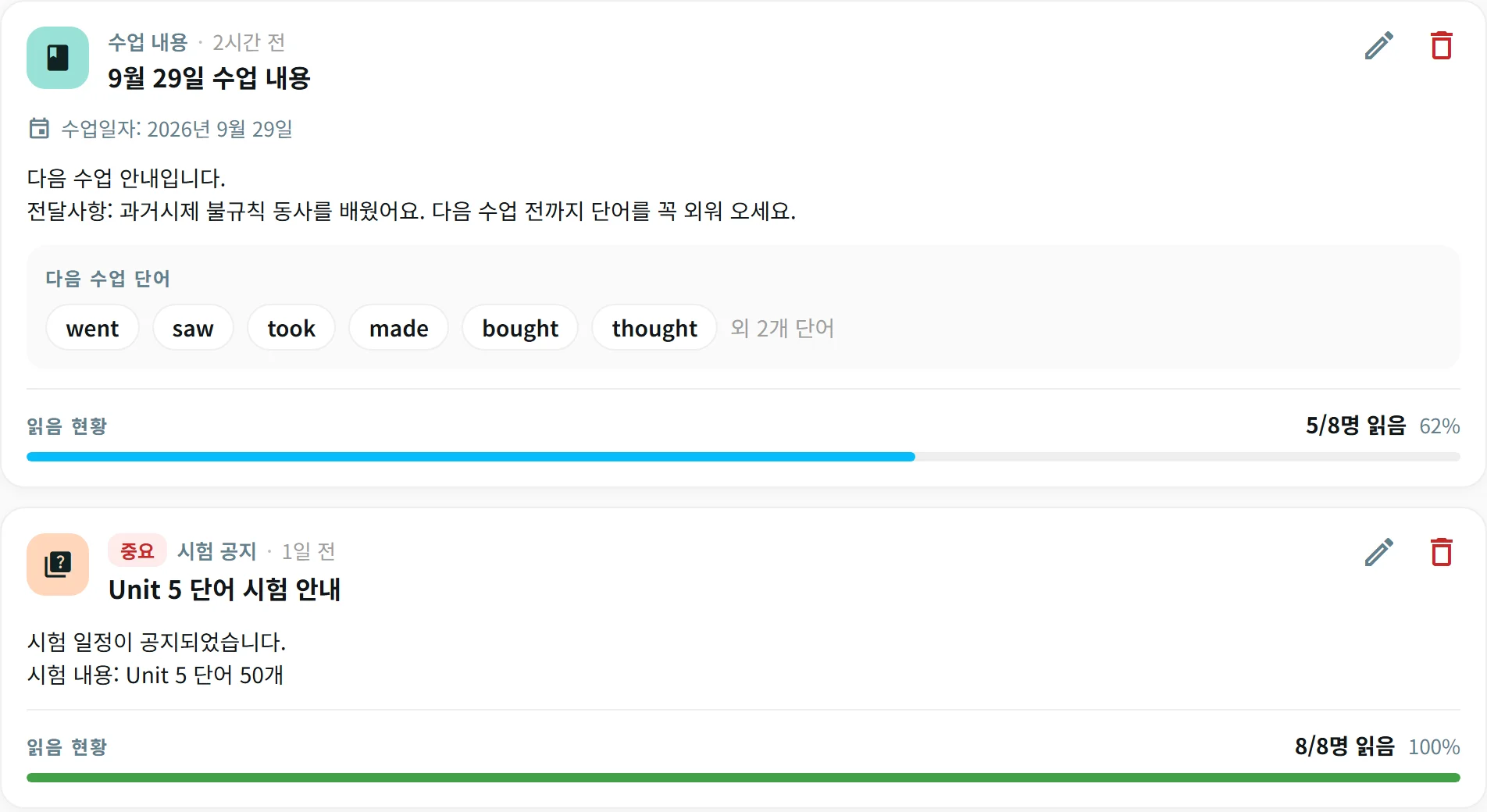
Class notices — read status

Class notices

Lesson notes, test notices and schedule changes go to the student app — with read receipts.

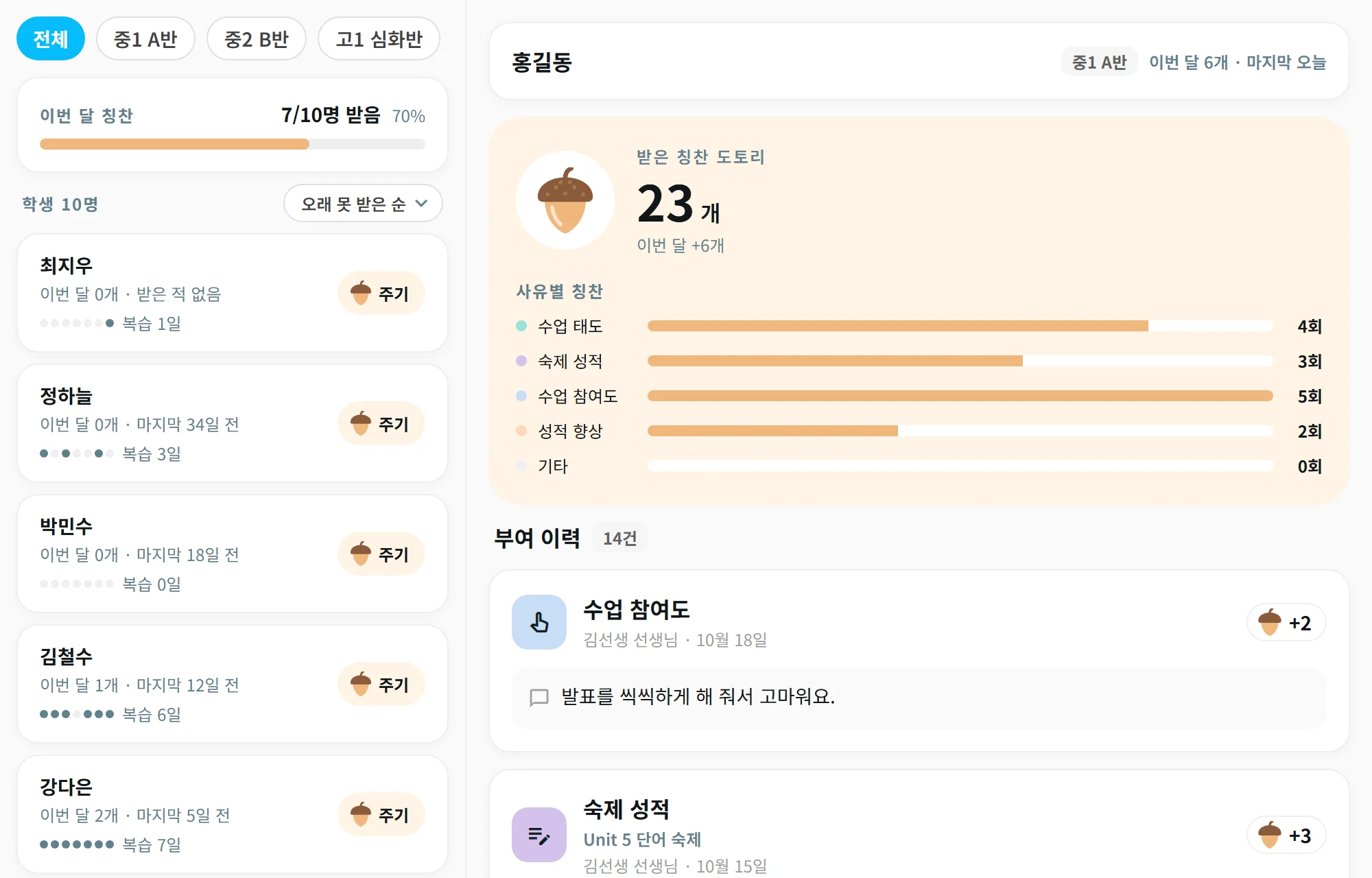
Praise acorns — student roster

Praise acorns

Those waiting longest come first — give right from the roster, tracked by reason.

Content

The materials are ready.

One photo of a textbook page becomes a word list, public-domain passages and audio sit on the shelf, and templates shared by other teachers are a click away.
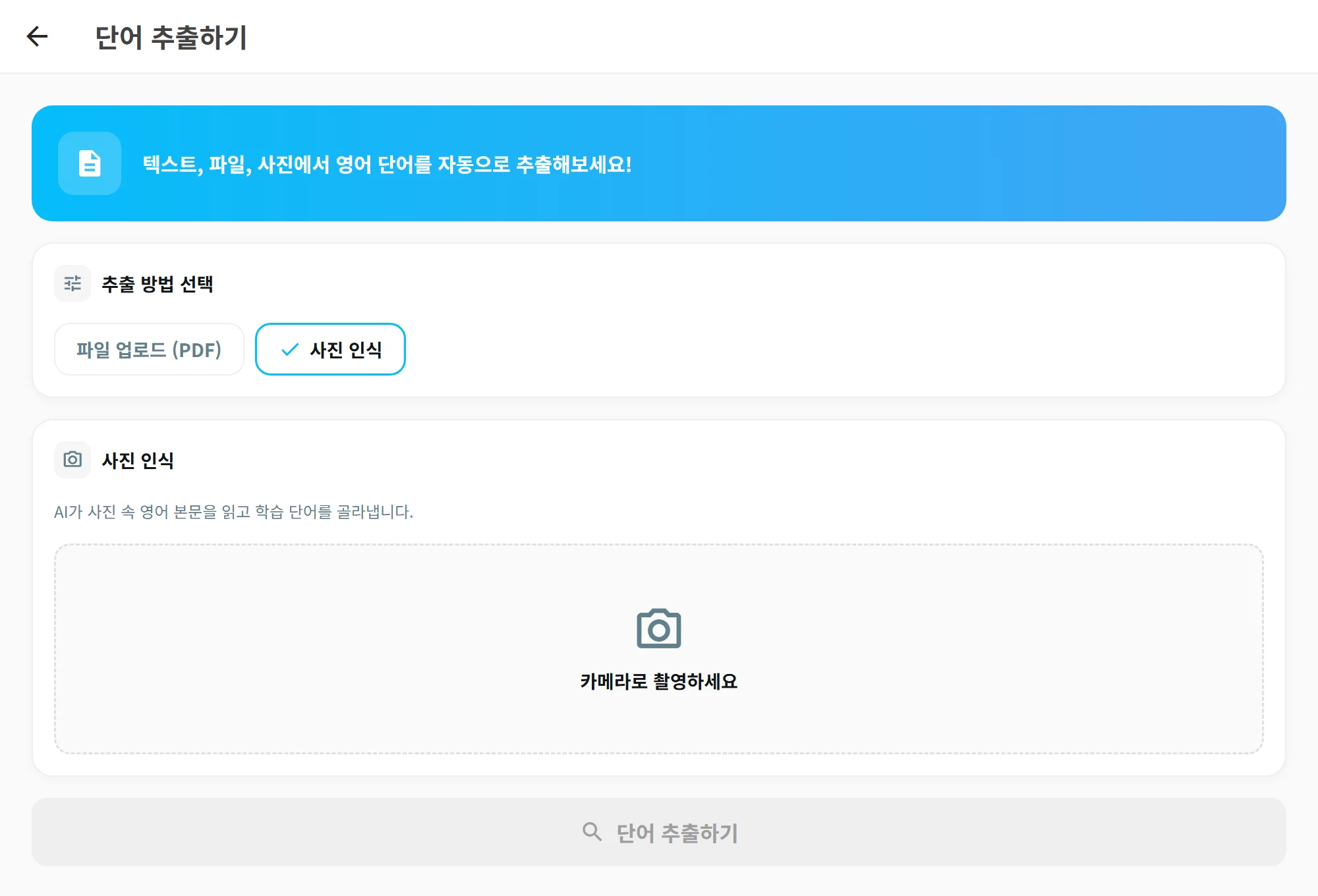
Word extraction — photo mode

Textbook photo → word list

Snap a page and Gemini Vision reads the English text and picks the words to study.
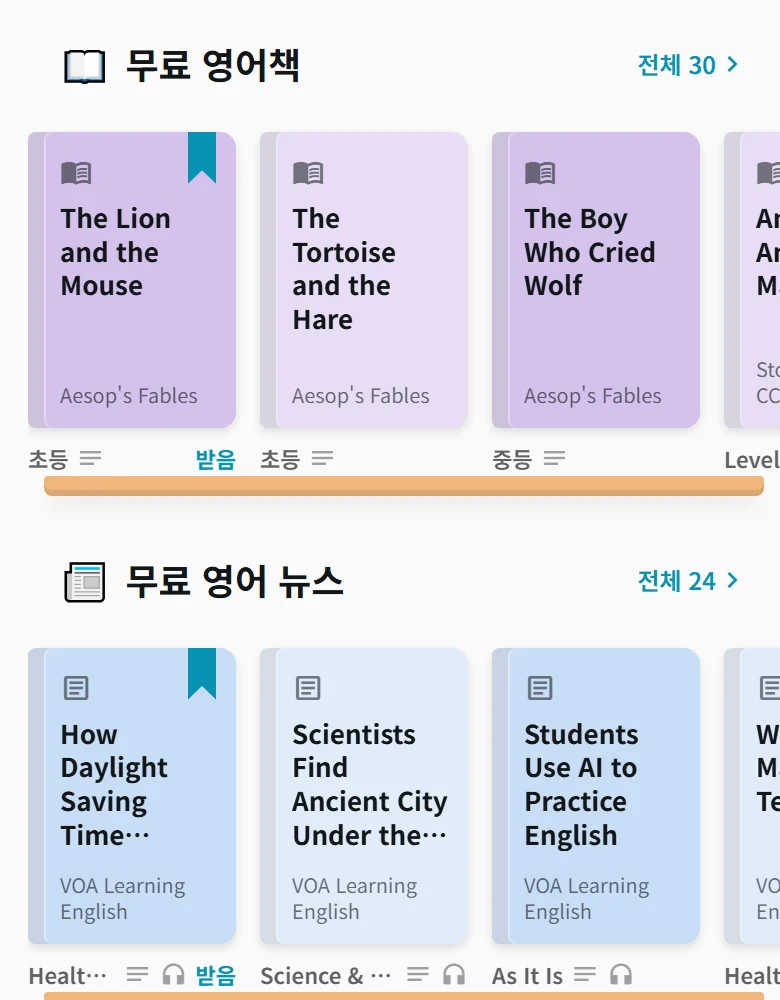
Content shelf — book covers on shelves by type

Content shelf

Free-to-use passages and audio from VOA, StoryWeaver, LibriVox and more. Add one and it's homework.
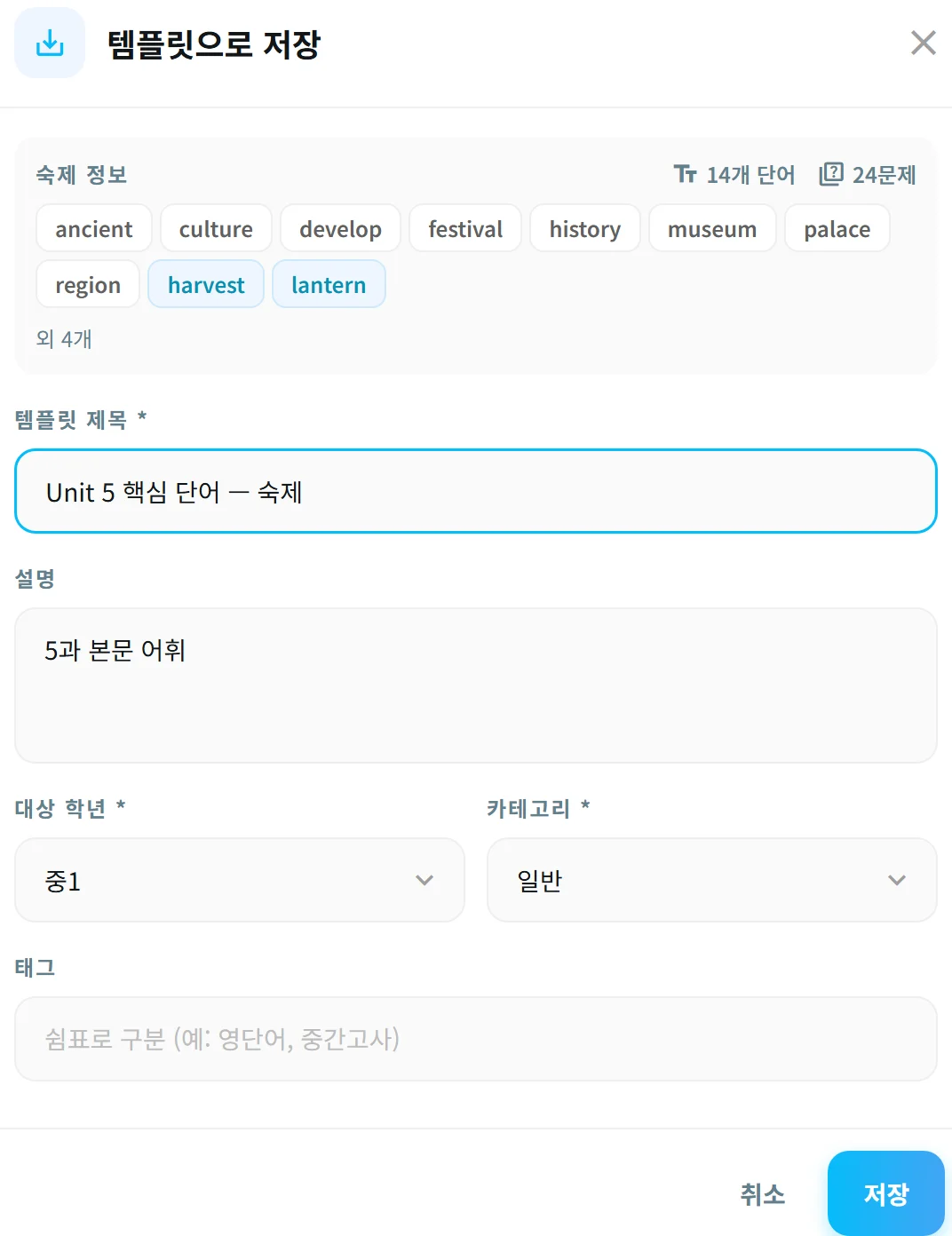
Save as template dialog

Shared teacher templates

Save a good assignment as a template, reuse it with your next class, or share it on the market. No selling — teachers earn points.

Trust & safety

Student data belongs to the academy.

Role-based access

Server rules separate teacher, student and admin roles — each can only do what its role allows.

Verified requests only

App Check accepts requests only from the real app. AI keys never leave the server.

Deleted on exit

Deleting a student account erases its learning records immediately. Privacy policy · Terms

Pricing

Free during the beta.

Pricing will be announced at launch. Sign up now and use every feature throughout the beta.

Who is it for?

English academies, study rooms and private tutors. One class or three students — it runs the same way.

What do students install?

Students use the Android app or a web browser (speaking recordings work anywhere with a microphone). Teachers work in a web browser.

Can I trust the question quality?

Every question except speaking passes automatic checks, and grammar questions get a solve-it-back verification too. Anything suspicious is flagged before publishing, and you have the final say.

Can I use my textbook's word lists?

Type them in or extract them from a photo. Official textbook word lists are not provided.

Can I show progress to parents?

«Share mode» on the student page hides teacher controls and shows a one-page report. Show it in a meeting or send a screenshot.

Just add the words.
The rest runs itself.

Start free